
Daybreak Future Development & Outlook — How Growth Could Shape Your Home, Commute, and Daily Life
Are you looking at Daybreak and wondering what all the future growth really means? That is a smart question. Future development can bring better dining, entertainment, transit access, services, and long-term convenience. It can also bring construction, detours, parking pressure, school demand, and a different neighborhood feel than what you see during one quiet showing.
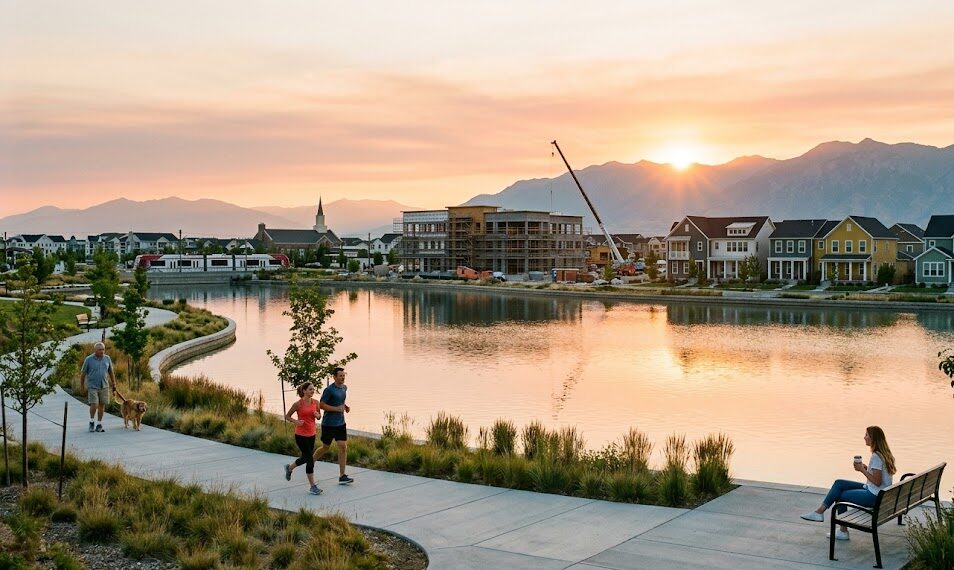
My quick answer: Daybreak future development matters because it can change the way your week feels before it changes anything else. Growth can affect your first ten minutes out of the neighborhood, school demand, parking patterns, evening noise, weekend activity, local dining, entertainment, and whether errands become easier or temporarily more complicated.
But I would not buy a Daybreak home based on a future promise. I would choose a home that works for your routine today, then treat future development as upside. If the purchase only makes sense because a road, store, school, entertainment district, or future amenity might eventually fix a problem, that is a risk signal.
This page uses official Daybreak, Downtown Daybreak, UTA Red Line, South Jordan planning, and Daybreak business-development resources as context. Future development details, construction timing, tenant openings, transportation schedules, HOA rules, school boundaries, and municipal plans can change. Verify the exact address and the specific issue that affects your decision.
Daybreak future development snapshot: what is changing and why it matters
Daybreak has always been more than a group of houses. It is a master-planned community with villages, trails, parks, Oquirrh Lake, community amenities, transit access, shops, dining, and now a more visible downtown-style growth layer. The biggest shift many buyers are watching is Downtown Daybreak, which adds more mixed-use energy to the community’s future outlook.
Daybreak’s official materials describe Downtown Daybreak as a vibrant extension of the community with shops, dining, events, family-friendly entertainment, and the Salt Lake Bees. Downtown Daybreak’s own site highlights baseball, entertainment, movies, events, concerts, shopping, dining, and year-round activity. That is exciting — but it also means buyers need to understand proximity, event traffic, parking, and how active they want their pocket to feel.
The main point is not “growth is good” or “growth is bad.” The point is that growth is specific. It can help one buyer and bother another. It can make one pocket more convenient and another pocket busier. It can add entertainment options while also changing traffic and parking patterns around event windows.
Signal vs. noise: how to evaluate future development without guessing
When people talk about future development, it is easy for rumors to sound like facts. “They are adding this.” “I heard that is coming.” “That area is going to explode.” I would slow all of that down and separate signal from noise.
Signal means something documented: official city plans, public meeting materials, recorded approvals, published project pages, builder phase information, official Downtown Daybreak updates, UTA schedules, or association documents. Noise means informal speculation, vague marketing language, or a neighbor’s guess that may or may not be true.
| What you hear | How to classify it | What I would do next |
|---|---|---|
| “A new entertainment district is coming.” | Potential signal if tied to Downtown Daybreak’s official pages and active tenant/project information. | Check official Downtown Daybreak and Daybreak sources, then evaluate event traffic and distance from the exact home. |
| “That road will get better soon.” | Noise unless supported by official transportation plans, city updates, or project timelines. | Choose based on current route reality, then treat road improvement as upside if documented. |
| “This pocket will be worth more because of growth.” | Speculation if it implies a guaranteed value outcome. | Focus on livability, comparable demand, routine fit, and what you can verify today. |
| “There will be more retail nearby.” | Signal only if a tenant, plan, or project is officially documented. | Map what is open today and ask whether future retail is a bonus or a dependency. |
| “This area will be quiet once construction is done.” | Part signal, part assumption. | Verify nearby buildout, road plans, event proximity, and how the pocket functions now. |
Question: Should I avoid buying near development?
Not automatically. Some buyers like being close to future energy, retail, entertainment, and transit. Others prefer more quiet and certainty. The question is whether the benefits and temporary friction match your personality, timeline, and daily routine.
Question: Is future development good for home value?
It can support demand in some situations, but I would not make promises about appreciation. I would focus on what you can evaluate: location, home type, HOA fit, route reliability, amenities, and whether the pocket will stay desirable for real daily life.
Downtown Daybreak: opportunity, energy, and address-level tradeoffs
Downtown Daybreak is one of the biggest future-outlook factors for many buyers. It gives the community a more urban-village layer: entertainment, dining, retail, plazas, events, ballpark activity, and a more visible destination identity inside South Jordan.
For some buyers, that is exactly the appeal. They want to be near the action. They want dinner, events, baseball, movies, concerts, and community energy to feel close. For other buyers, that same activity may raise questions about parking, traffic, sound, lights, event-day patterns, and whether the area will feel too active.
Daybreak’s official Downtown Daybreak overview describes the district as including dining, retail, entertainment, offices, plazas, trails, and residential units. Downtown Daybreak’s own site highlights Salt Lake Bees baseball, entertainment, year-round activities, outdoor concerts, shopping, and dining.
| Downtown Daybreak factor | Possible upside | What to verify before buying nearby |
|---|---|---|
| Restaurants and retail | More convenient errands, dining, and gathering places close to home. | Which businesses are open now, what is planned, and whether you would actually use them weekly. |
| Ballpark and entertainment | More local events, sports, concerts, and activity without leaving the community. | Event traffic, sound, lighting, parking patterns, and your exact distance from activity zones. |
| Mixed-use development | A stronger local center with more services, offices, residential energy, and walkable destinations. | Construction timing, future phases, road access, and whether you want that density nearby. |
| Transit connection | TRAX access may support some work, event, or valley routes. | Station distance, parking, walking comfort, schedule, transfers, and final destination. |
| Long-term identity | Daybreak may feel more like a complete community center over time. | Whether you want a quieter village pocket or closer connection to the downtown energy. |
The five development categories that matter most in Daybreak decisions
Not all future development affects you the same way. A new restaurant does not affect your life the way a road change, school-boundary shift, or active construction phase might. When I help someone think through Daybreak growth, I group development into five practical categories.
The point is not to become overwhelmed. The point is to ask better questions. Future growth is easier to evaluate when you know which kind of growth you are actually talking about.
How to interpret new construction in Daybreak
“New construction in Daybreak” can mean several different things. It might mean a brand-new build in an active phase. It might mean a newer resale in a more established pocket. It might mean a home that feels new but sits near ongoing construction, future commercial activity, or changing access patterns.
New is not automatically better. Established is not automatically safer. The question is what your household needs from the next few years.
| New construction lens | What it can mean for you | What to verify |
|---|---|---|
| Active construction nearby | Possible noise, trucks, dust, temporary roads, and changing traffic patterns. | Build phase, work hours, nearby lots, route impact, and whether your daily path crosses active zones. |
| Move-in timeline | Timing can affect school starts, lease endings, rate locks, moving logistics, and temporary housing. | Written timelines, contingencies, builder updates, and what happens if delays occur. |
| HOA and design standards | Newer areas may have association rules that shape exterior changes, parking, landscaping, and maintenance. | HOA documents, fees, design guidelines, architectural approvals, parking, pets, rentals, and storage rules. |
| Pocket maturity | You may get newer finishes but less mature landscaping, fewer settled neighbors, or ongoing nearby buildout. | How the pocket feels today and what the near-term buildout may change. |
| Future convenience | Nearby retail, trails, or services may improve over time. | What is open now, what is officially documented, and what is only a future possibility. |
Question: Should I buy before an area is fully built out?
It can make sense if the home, location, price, timeline, and tolerance for temporary disruption all fit. But I would want you to understand nearby construction, future access, HOA documents, and the current daily routine before making that decision.
Question: Is a newer resale less risky than new construction?
Sometimes, because you can see more of the actual pocket, landscaping, parking, neighbors, and route patterns. But you still need to verify HOA rules, future development nearby, and whether the home’s systems and layout fit your life.
Transportation and access: growth can shift the first ten minutes
In a growing area, the first ten minutes can decide whether a location feels easy or frustrating. You might have a reasonable total commute, but if exiting your pocket, crossing a corridor, reaching TRAX, or navigating event traffic feels unpredictable, the home can wear on you.
Daybreak has access advantages, including TRAX Red Line stations in the broader South Jordan / Daybreak area. UTA’s schedule lists South Jordan Parkway, South Jordan Downtown, and Daybreak Parkway stations. But the value of transit depends on your exact address, walking or parking route, departure time, schedule, transfers, weather comfort, and final destination.
- Test the exact address.
Do not test “Daybreak” generally. Test the property you are considering. - Run the two-day, two-time route test.
Drive your route on two normal weekdays at your real departure and return times. - Test your backup route.
Construction, event traffic, school timing, and weather can change what works. - Test TRAX only if you might actually use it.
Include walking, parking, schedule, transfers, and the final destination. - Visit during event conditions if you are near Downtown Daybreak.
Event energy can be fun, but you should know what traffic and parking feel like.
UTA’s Red Line schedule lists South Jordan Parkway, South Jordan Downtown, and Daybreak Parkway stations. South Jordan’s city-wide master plans page provides a place to review city planning documents and long-range planning context.
Schools, amenities, and daily life: where growth becomes personal
Future development is not just about buildings. It is about how a normal week changes. For families, that may mean school boundaries, enrollment pressure, pickup/drop-off routes, and after-school timing. For everyone, it may mean parks, trails, lake access, dining, shopping, events, parking, and how easy it is to use the community you are paying to live in.
This is why I like to evaluate growth through daily habits. A new amenity is meaningful only if it becomes part of your life. A future school or route is helpful only if it solves a real routine issue. A new entertainment district is exciting only if the activity level fits your personality.
| Growth area | What buyers often ask | What to verify |
|---|---|---|
| Schools | Will growth affect school assignment, enrollment, or drop-off patterns? | Exact-address boundaries, current school-year maps, route timing, and official district updates. |
| Parks and trails | Will new or improved connections make daily movement easier? | Actual walking/biking route from the home, crossings, lighting, seasonality, and trail access. |
| Retail and dining | Will I be able to do more errands close to home? | What is open today, what is officially planned, and whether it fits your weekly errands loop. |
| Events and entertainment | Will nearby events feel fun or disruptive? | Event-day traffic, parking, sound, lighting, and weekend activity near the exact address. |
| HOA and amenities | Will future community improvements change costs, rules, or access? | Current HOA documents, fee structure, amenity access rules, and any property-specific association requirements. |
Value lens: think livability and risk, not predictions
It is tempting to treat development like a value forecast. I would be careful with that. No one can guarantee how a future project will affect a specific home’s value. What we can do is think clearly about livability, demand, risk, and whether the address is likely to remain useful for real people with real routines.
That means looking at what a home offers today and what nearby growth may change.
Question: Could future development make a pocket more desirable?
Yes, especially if it improves convenience, access, services, entertainment, or everyday livability. But the effect depends on the home, pocket, timing, and buyer preferences.
Question: Could development hurt the daily experience?
Temporarily or permanently, yes. Construction, event traffic, parking pressure, noise, or density changes can affect some buyers. That is why pocket-level verification matters.
| Value lens | Helpful question | What I would look for |
|---|---|---|
| Livability | Does the address make daily life easier? | Commute, errands, parks, trails, school route, HOA comfort, and access to places you actually use. |
| Friction | What might become harder during the next 6–24 months? | Construction, detours, school traffic, event parking, noise, and temporary access changes. |
| Demand | Who is likely to want this home later? | Home type, pocket, garage/parking, office space, HOA fit, proximity to useful amenities, and route reliability. |
| Flexibility | Does the home work if the future takes longer than expected? | A base-case routine that works today, not only after future retail, roads, or services arrive. |
| Resale story | Can a future buyer understand the lifestyle quickly? | Clear pocket benefits, realistic access, documented improvements, and honest tradeoffs. |
Buyer checklist: how to evaluate Daybreak future development before choosing a home
If you are serious about a Daybreak home and future development is part of the decision, use this checklist before you commit. It will help you separate what is exciting from what is useful.
- Start with the exact address.
Development impact is hyper-local. Two streets can feel different if one is near construction, event parking, transit, or a major access route. - Define your timeline.
Are you planning to stay three years, seven years, or longer? Your tolerance for construction and changing surroundings depends on your timeline. - Run the route tests.
Test commute, school route, errands, TRAX, and event conditions if the home is near Downtown Daybreak. - Map your 10–15 minute weekly loop.
Grocery, pharmacy, dinner, park, trail, school, work route, gym, or one weekly habit. Does the current address work today? - Check official sources.
Use Daybreak, Downtown Daybreak, South Jordan, UTA, HOA, district, and builder sources instead of relying on word-of-mouth. - Review HOA documents early.
Future growth does not replace the basics: fees, rules, parking, pets, rentals, exterior changes, and amenity access. - Ask what happens if the future project is delayed.
Would you still be happy with the home if the promised convenience takes longer than expected? - Visit at the wrong times on purpose.
Evening, weekend, school window, event window, and commute windows show what a polished showing cannot.
Seller lens: how to talk about future growth without overpromising
If you are selling a Daybreak home, future development can be part of the story — but it needs to be handled carefully. Buyers like clarity. They do not need vague promises. They need to understand the home, the pocket, current convenience, future context, and what they should verify.
The strongest seller strategy is honest, specific, and grounded in real-life value.
| Seller angle | Why buyers care | How I would frame it |
|---|---|---|
| Proximity to Downtown Daybreak | Buyers may value entertainment, dining, events, and local convenience. | Describe access clearly, then encourage buyers to evaluate event traffic and activity level. |
| Current daily convenience | Future plans are helpful, but buyers want to know what works today. | Highlight open amenities, trails, parks, shopping, routes, and real weekly uses. |
| Quiet or active pocket | Different buyers want different energy levels. | Be honest about whether the home feels tucked away, connected, active, or near growth corridors. |
| Home office and commute flexibility | Hybrid and remote buyers often care about route options plus work-from-home comfort. | Show office spaces, natural light, internet-friendly setups, and access to transit or routes. |
| HOA and parking clarity | Growth can make parking and rules more important, not less. | Provide documents early and avoid vague claims about convenience or flexibility. |
FAQ: Daybreak future development and outlook
Want a Daybreak growth-impact reality check before you choose a home?
Send me the Daybreak homes or pockets you are comparing, your commute anchor, school needs, home type, HOA comfort level, and how close you want to be to Downtown Daybreak energy. I’ll help you pressure-test the shortlist with a practical signal-vs-noise lens.
Reminder: Confirm development details, construction timelines, HOA documents, parking rules, event impacts, transit schedules, school boundaries, and city planning information using official sources for the exact address.